Highlighting Internal Applicants
When one of your own people applies for a vacancy, you want to know about it. An internal applicant deserves a different conversation to someone applying cold, and their current manager usually needs a heads-up too.
All Jobs Pro handles this for you, we ask every applicant whether they already work for you, flag the ones who do, and bring them to your hiring manager's attention in the ATS.
Why it matters
Two things can go wrong when an existing employee applies:
- They get lost in the pile and are treated like any other candidate, which is a poor experience for a valued existing member of your team.
- They apply without telling their line manager, and the first the manager hears of it is through the grapevine.
The internal applicant module prevents both scenarios. Your hiring team sees at a glance who is internal, and the applicant is gently reminded to speak to their manager before they go any further.
What the candidate sees
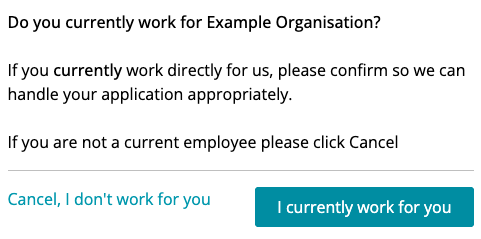
Every application starts with a simple question: do you currently work here?
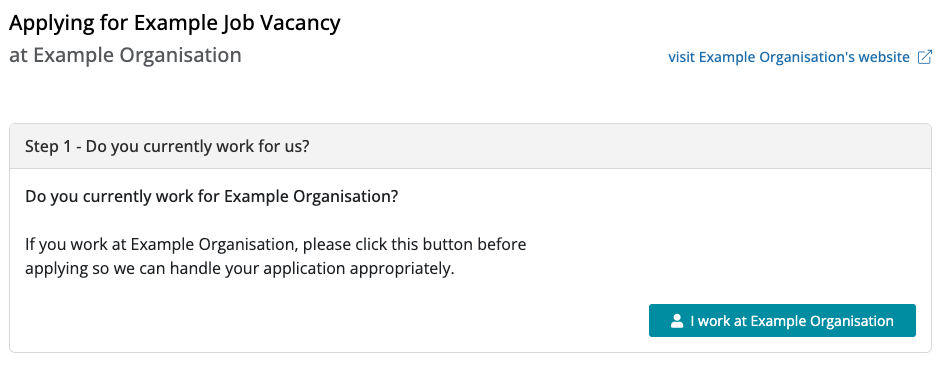
If they do, they click the button and confirm.
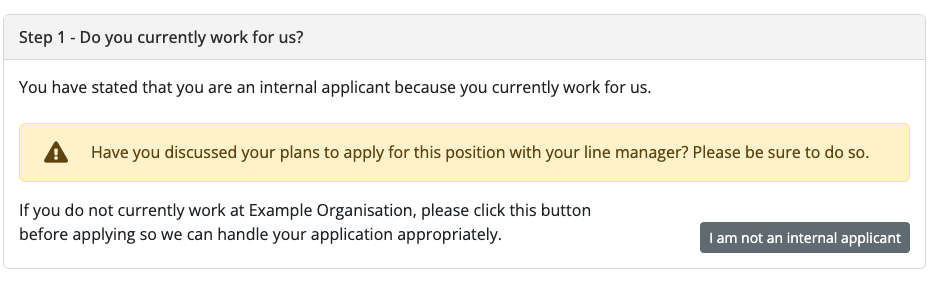
They then see a friendly nudge to speak to their line manager before they apply, with the option to correct their answer if they clicked it by mistake.
How internal applicants show up in your ATS
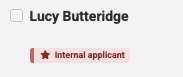
Internal applicants are flagged to you with an easy to see red badge.

Internal applicants are left out of bulk messages and bulk rejections, so they can never be swept up in a standard reply by accident. Hover over the badge and the ATS explains why, and shows how to write to them.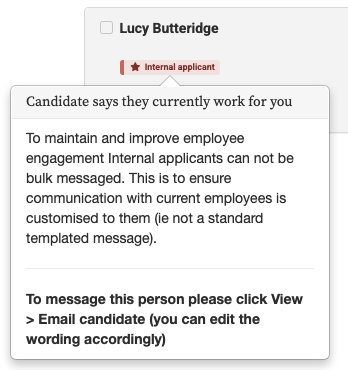
If an internal applicant is not right for the role, you can let them with a personal message or a quick phone call.
Optional - Give someone a head's up straight away
You may want to nominate someone in the HR team to be notified about every internal application.
You can switch this on for any of your users. Go to Admin > Users, and click Edit next to the person. Click "Email this user when an internal candidate applies" and Save.

From then on that person gets an email each time an internal candidate applies to any of your jobs, even ones they are not a contact for.
The subject line starts with INTERNAL APPLICANT, so it stands out in a busy inbox.
Why this is worth doing
How you treat your own people when they apply says a lot about you as an employer. Someone who puts themselves forward for a new role and hears nothing, or gets the same standard rejection as a stranger, remembers it. So do the colleagues they tell.
Handled well, an internal application is good news whatever the outcome. The person feels noticed, their manager is kept in the loop, and they get a straight answer from someone who knows them. People who are treated like that tend to stay, and they tend to recommend you to others.